
Your year, by the line on the IRS form
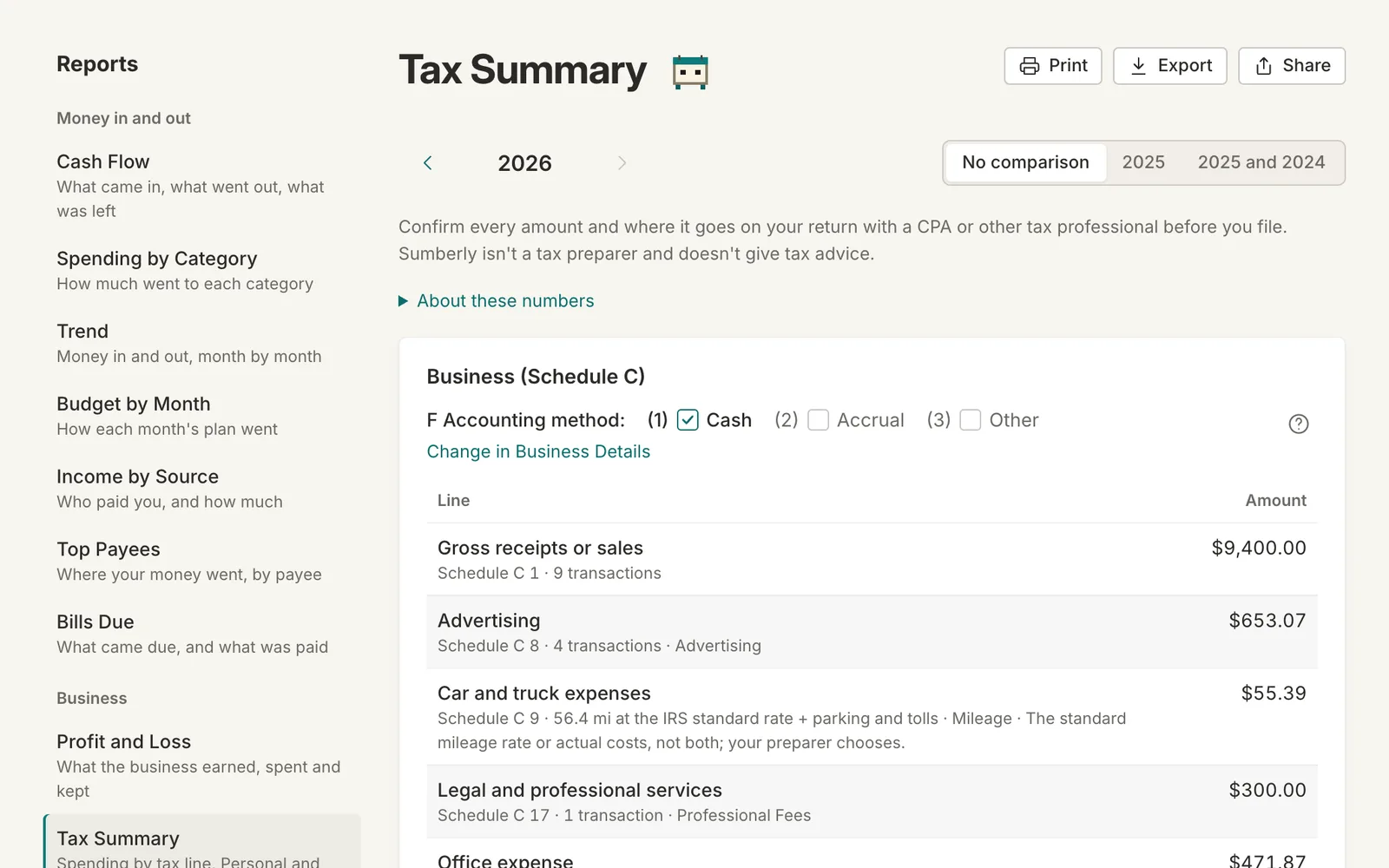
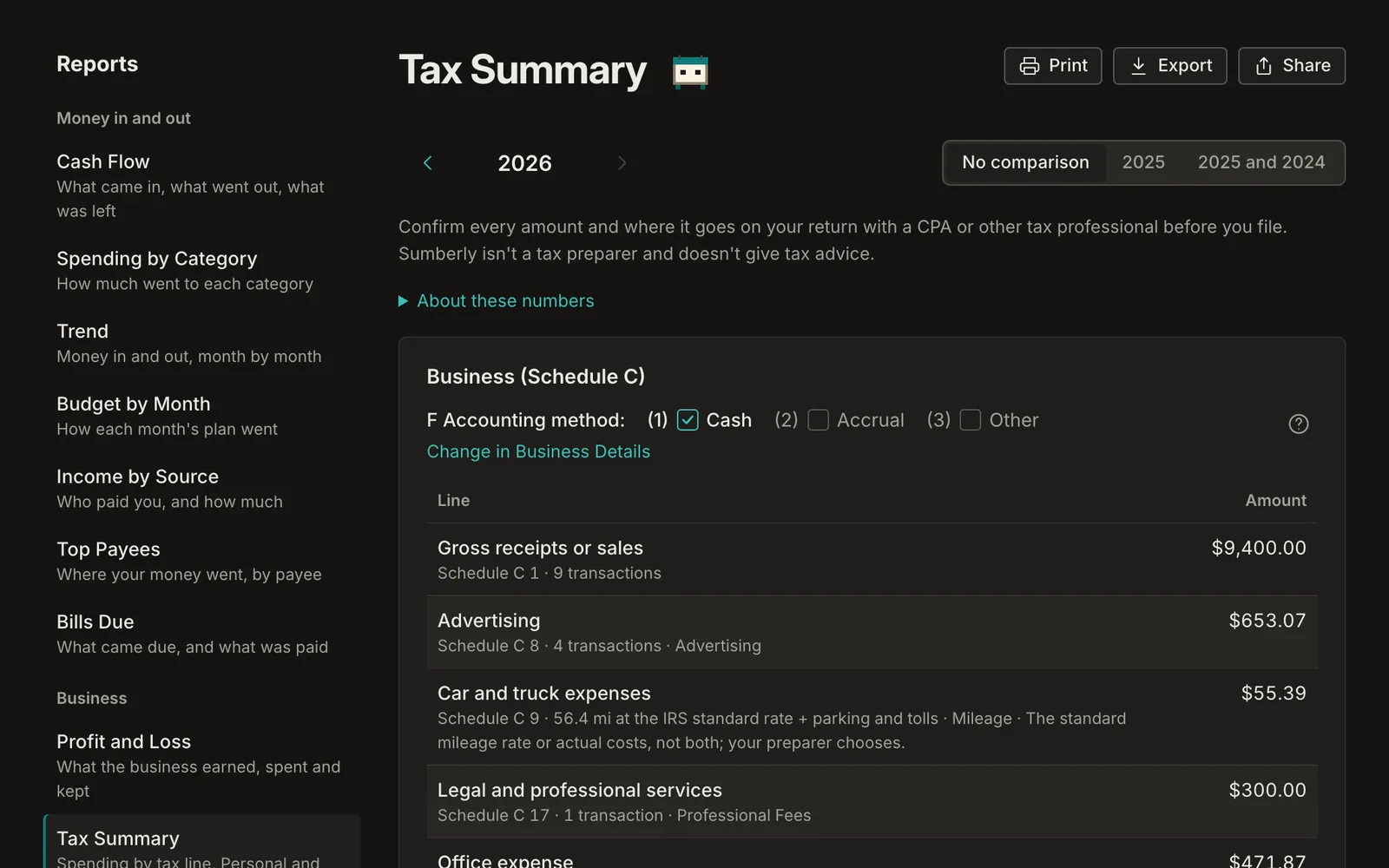
The Tax Summary adds up the year by the line it goes on: Schedule C for a business, Schedule E for rentals and royalties, Schedule F for a farm, with the transactions behind every number. Hand it to your preparer, or use it to file.
On Essential, Plus and Advanced. Monthly, cancel anytime.
- Schedule C, E and F line by line
- Mileage priced at the IRS's rate
- A quarterly estimate of what to set aside
Every category already knows its line
Office expense goes to line 18, supplies to line 22, travel to 24a. Your categories carry their lines, so the year adds itself up as you go, with each line's transactions one click away.
The deductions people miss
Business drives from your mileage log are priced at the IRS's standard rate for the day of each drive. Equipment you buy shows on the depreciation line, with a note for your preparer about the election.
A quarterly tax estimate
Tax Estimate works out what to set aside from the profit so far, so the April bill isn't a surprise.
Tax Summary: on Essential, Plus and Advanced
Monthly plans from $14.99. Every plan includes the app on iPhone and iPad.
Tax Summary: questions
Does Sumberly file my taxes?
No. Sumberly isn't a tax preparer and doesn't give tax advice. The Tax Summary gives you or your preparer the numbers, line by line, with the transactions behind them.
Which forms does it cover?
Schedule C for a business, Schedule E for rentals and royalties, and Schedule F for a farm, with the line numbers from the IRS's current forms.
Can I use it with my accountant?
Yes. Export or print it, or invite your accountant to see your books.
What about mileage?
Business drives are priced at the IRS's standard mileage rate in effect on the day of each drive, plus parking and tolls.
Your books and your budget, finally in one place.
Sumberly opens soon. Leave your email and we'll write once, the day it does.